Expo Showcase Demo
This is the public hands-on demo app for the package.
Run a full Expo application that demonstrates package UI, runtime behavior, and customization with a clean, production-style structure.
Location
- Repo path:
examples/demo
What You Can Feel Immediately
- Expo Router tabs (
Info Screen,Banner Demo,Customize) with TypeScript - Default
UpdateBannerplus a custom banner renderer toggle OTAInfoScreenin both tab and modal usage patternsuseOTAUpdates()telemetry with status, metadata, and action triggers- Channel surfing — interactive runtime channel switching UI (production/staging/preview)
- Controls to toggle banner/info overrides and simulate update states
- Native-tabs compatibility strategy with fallback tabs for unsupported/unstable iOS ranges
- Header coordination patterns to avoid double-header and content-overlap issues
This demo is intentionally tuned to surface real integration edge cases early (header coordination, safe-area behavior, and tab compatibility) so production apps can adopt safer defaults.
Screenshots
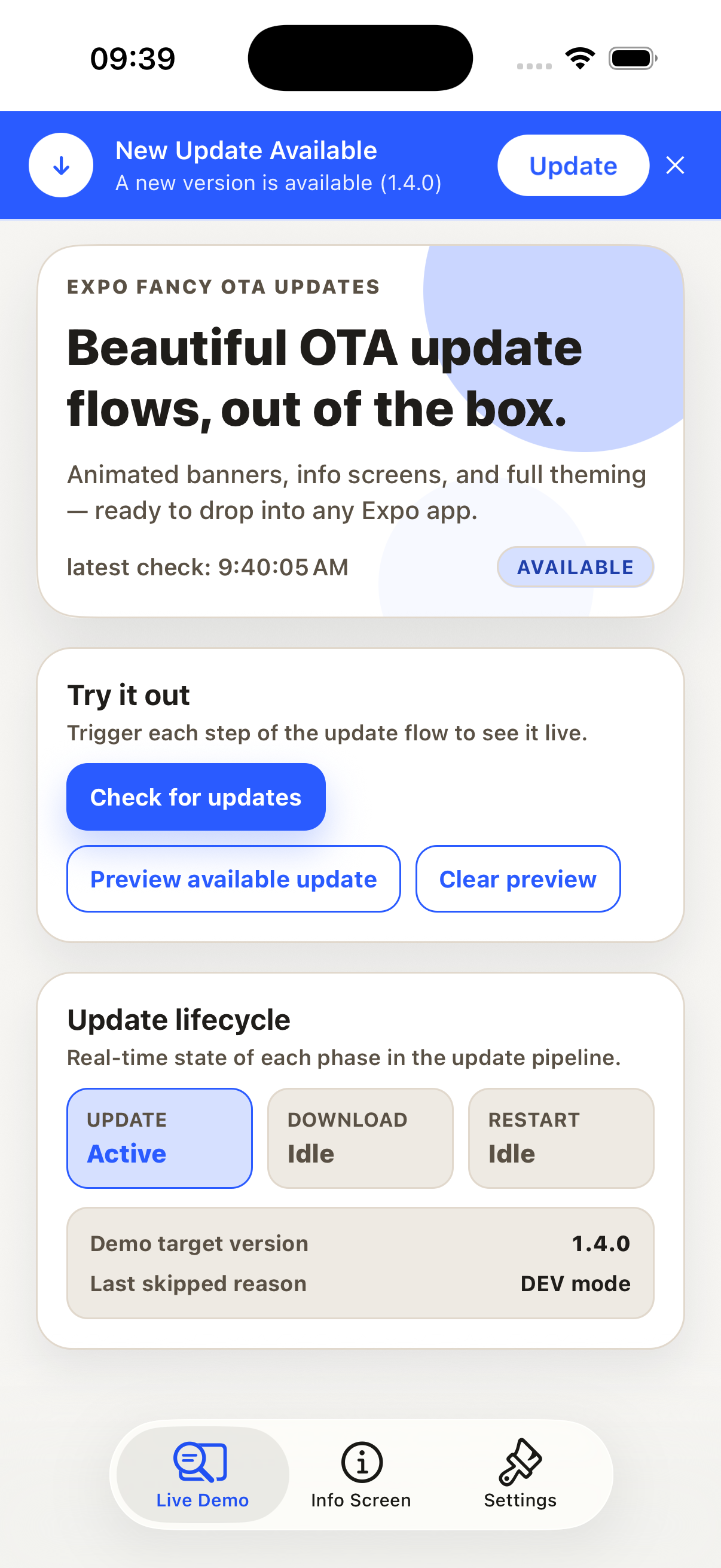 Live Demo — Banner, status, and lifecycle controls | 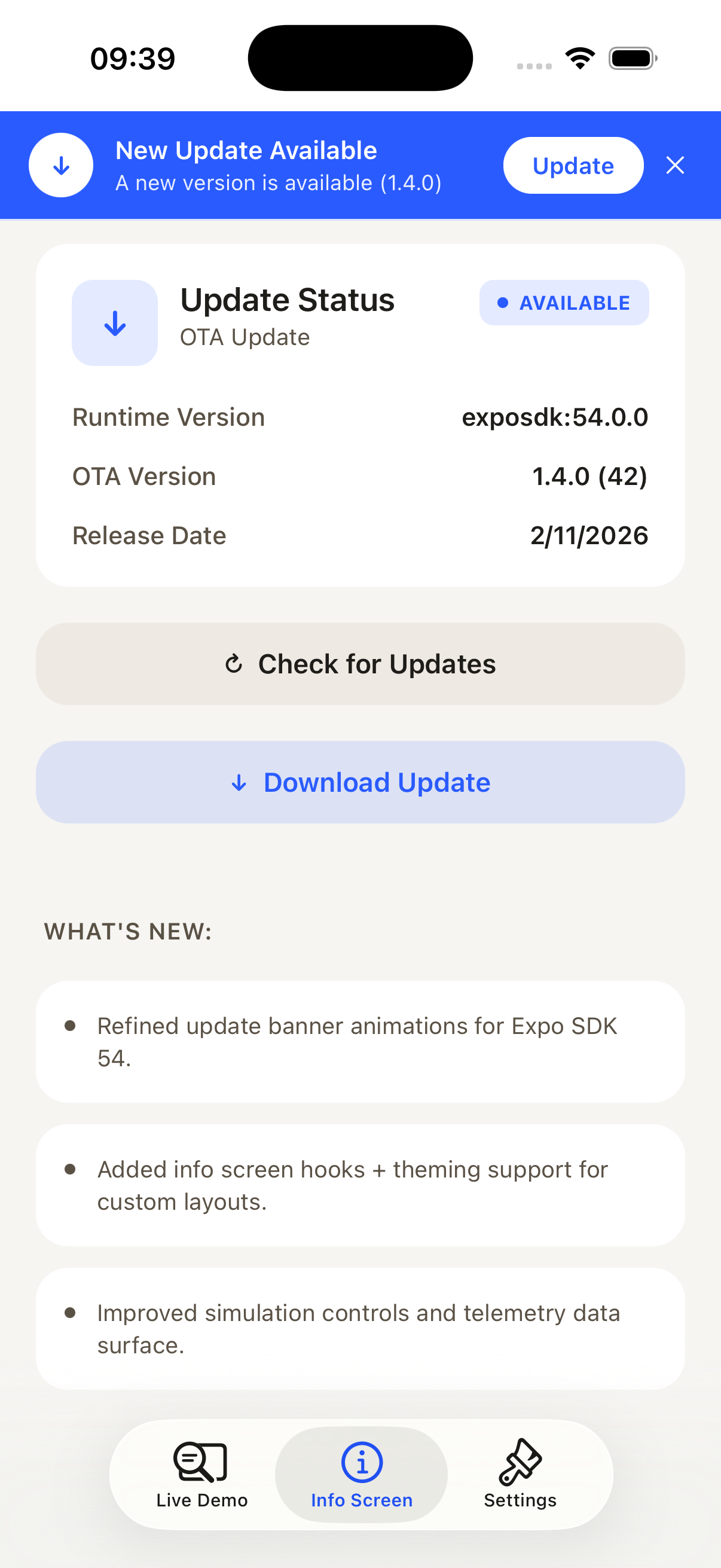 Info Screen — Version details and update actions | 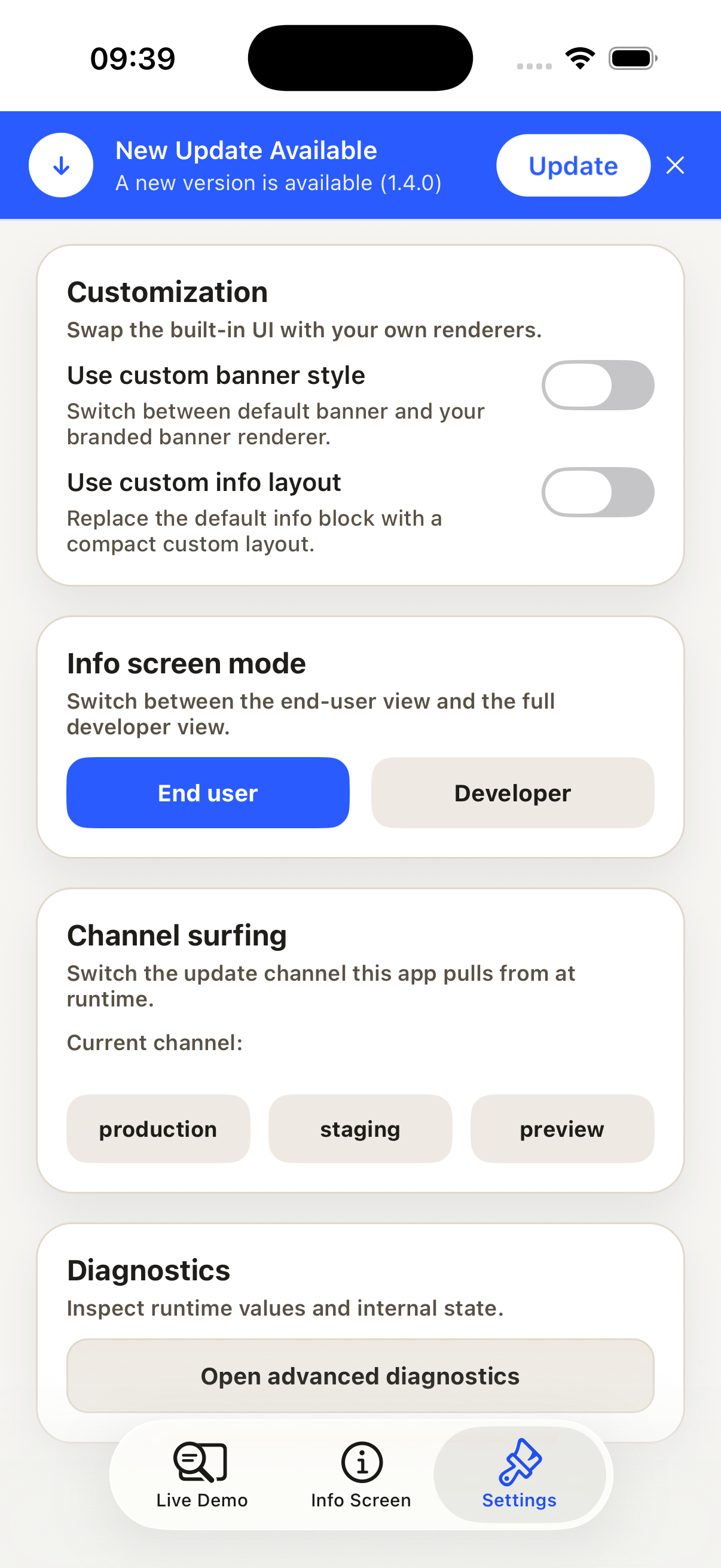 Settings — Customization and channel surfing |
Structure
app/: route files onlysrc/ota/: provider shell, settings context, palettes, translationssrc/features/: feature-level screen compositionsrc/components/: reusable UI building blocks
Run Locally
bash
pnpm install
pnpm --dir examples/demo start
Then open with Expo Go or simulator.
Expo SDK
This demo targets Expo SDK 54 (latest stable at implementation time).
Local Package vs Published Package
By default, the showcase uses the local package from this repository:
json
"@ddedic/expo-fancy-ota-updates": "file:../.."If you want to verify against npm instead, replace it with:
json
"@ddedic/expo-fancy-ota-updates": "^1.5.0"